
Office Digital Signage: Pi 5 + cog Kiosk + Live Claude.ai Usage Monitor
A 24/7 digital signage for our office lobby, built on a single Raspberry Pi 5 8GB. The top 90% of a 1080×1920 portrait screen cycles through 10 saea-ict.com pages; the bottom 10% shows Claude.ai Max plan usage refreshed every 60 seconds. Real-world case combining embedded Linux, Wayland kiosk, Cloudflare-bypass scraping over CDP, and a hands-free boot chain.
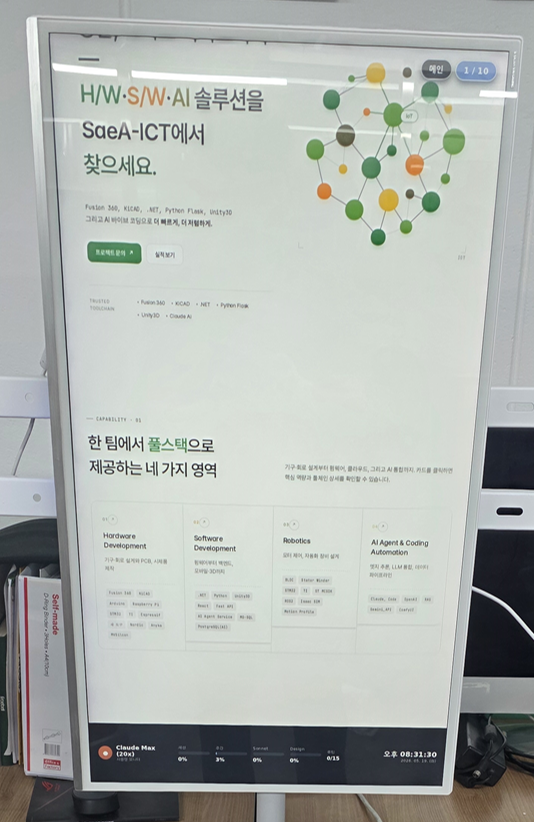
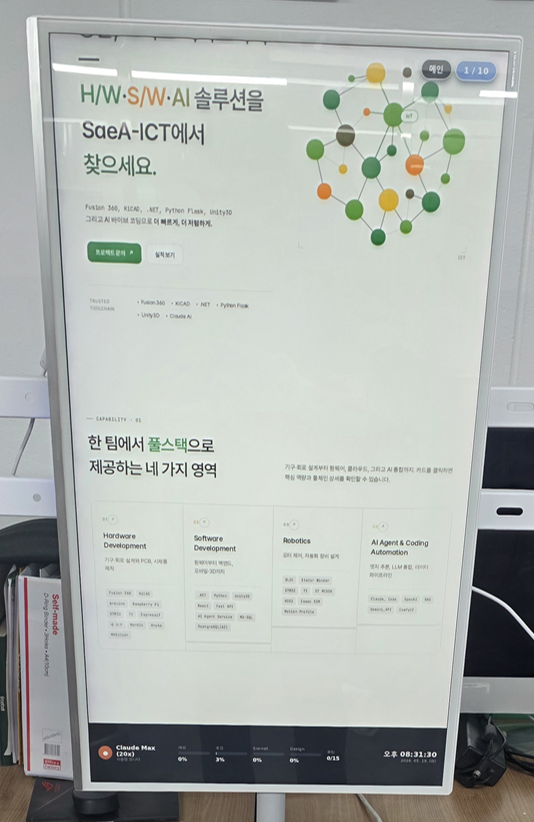
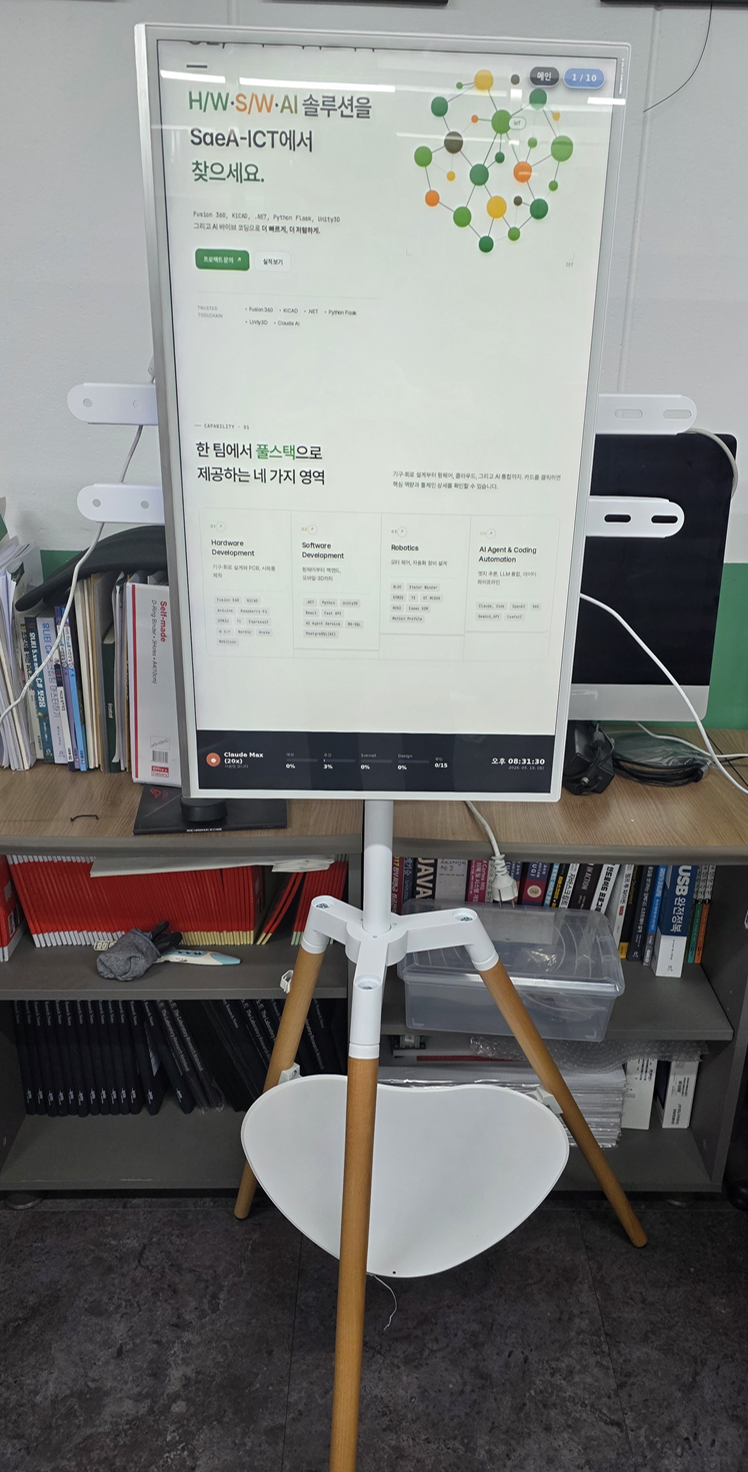
We built and operate a 24/7 digital signage on a single Raspberry Pi 5 8GB. An HDMI 1920×1080 monitor is rotated to portrait (1080×1920). The top 90% (1080×1728) cycles through 10 saea-ict.com pages; the bottom 10% (1080×192) shows the company's Claude.ai Max plan usage (session / weekly / Sonnet / Design / routine) refreshed every 60 seconds. From power-on, the Pi reaches full-screen operation in about 1–2 minutes with zero user intervention.
System at a glance
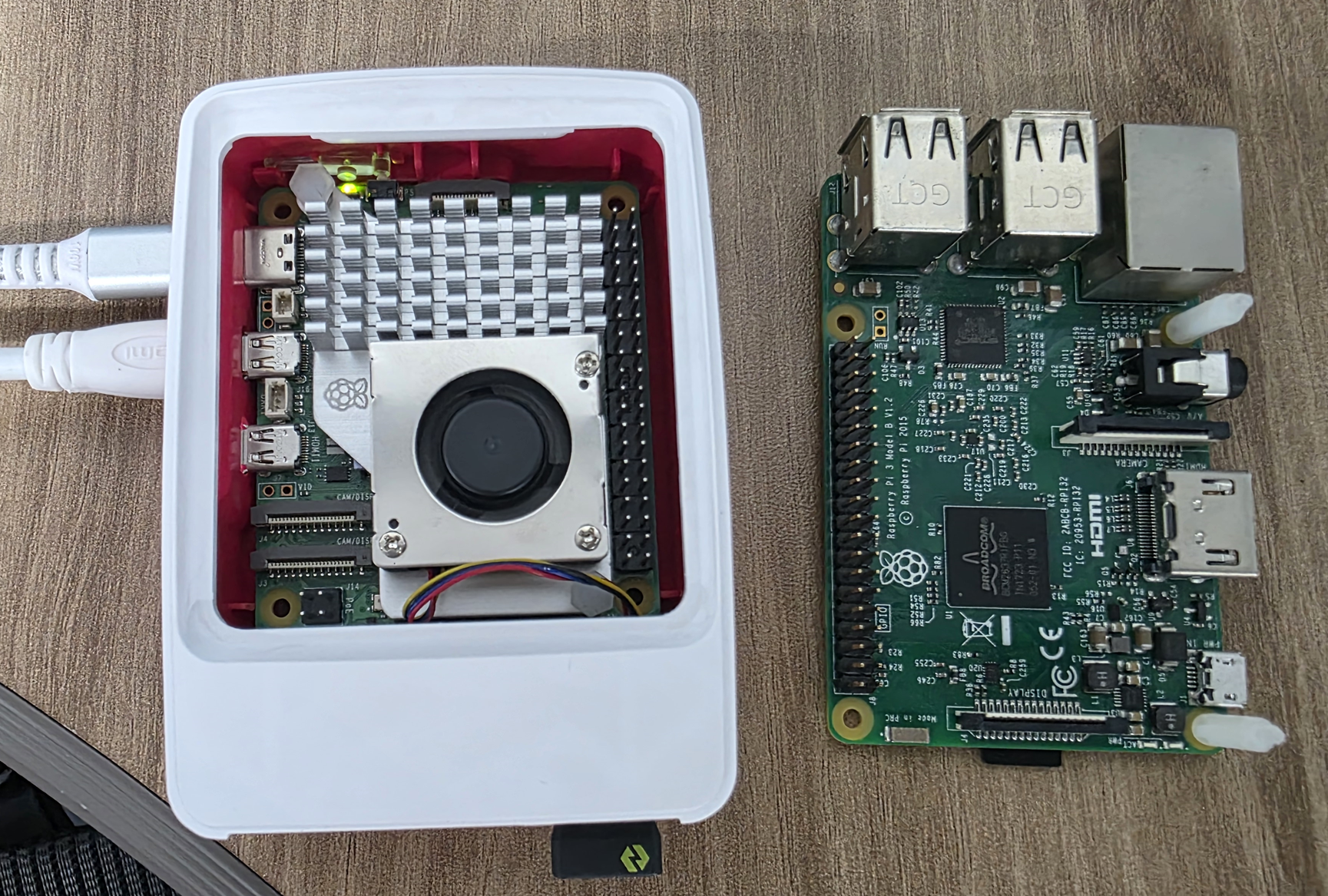
• Device — Raspberry Pi 5 Model B Rev 1.0, 8 GB RAM (BCM2712 Cortex-A76 quad @ 2.4 GHz)
• OS — Raspberry Pi OS 64-bit Bookworm (Debian 12)
• GPU — VideoCore VII (Vulkan 1.2 / GLES 3.1) → 60 FPS accelerated
• Kiosk — cog 0.16 (WebKitGTK 2.38) on wayfire 0.7.5 Wayland compositor
• Wrapper — Python 3.11 + Flask 2.2 (routing · proxy · cache)
• Scraper — Xvfb :99 + chromium-browser GUI + Chrome DevTools Protocol (CDP) over WebSocket
• Stages — Main 1 + Works 5 + News 4 (10), scroll 80 px/s, 30–60s per stage
• Auto-boot — systemd user units + linger + cron @reboot + XDG autostart
① Hardware — Pi 3B retired, Pi 5 confirmed by measurement
We first tried a Pi 3B Rev 1.2 on Pi OS 32-bit Trixie. The VideoCore IV GPU caps at GLES 2.0, below Chromium's GLES 3.0 requirement, so rendering fell back to software. Scrolling Next.js pages measured 1.6–3.3 FPS: visibly flickering, unusable.
Swapping to Pi 5 produced a stable 60 FPS on the same workload — the GPU-generation jump (VideoCore IV → VII) was the deciding factor. We resolved "could the Pi 3 work" with measurements rather than guesswork.
② Wayland kiosk — dropped Chromium, picked cog
On Pi 5 we tried every Chromium-flavored full-screen setup. Each failed:
• chromium-browser 121 (apt) --kiosk — GPU process crashed on EGL/gbm, the window came up 1 pixel tall
• snap chromium 147 — refused full-screen on a rotated wayfire output, dropped to tabs. No combination of --kiosk --start-fullscreen --app=... flags helped.
We switched to cog (WebKitGTK 2.38). With COG_PLATFORM_WL_VIEW_FULLSCREEN=1, the very first run gave us a clean 60 FPS full-screen. Days of Chromium tuning were replaced by a one-line env var.
③ Cloudflare bypass — a real Chrome plus CDP
The bottom strip needs to read https://claude.ai/settings/usage regularly. That page sits behind a Cloudflare challenge — a sessionKey cookie alone is not enough; Python requests always got 403 Just a moment... because OpenSSL's TLS fingerprint differs from real Chrome.
Bypasses we considered:
• Copying the PC browser's cf_clearance cookie → still 403 (IP/TLS fingerprint also checked)
• curl_cffi (TLS impersonation) → blocked by our pip environment
• chromium --headless=new --dump-dom → headless flagged and challenged
The shipped solution is Xvfb virtual display + a real chromium-browser GUI + --remote-debugging-port=9222 + --disable-blink-features=AutomationControlled. Cloudflare treats it as a real Chrome and lets it through. Every minute, Flask talks CDP over HTTP+WS: Page.navigate → Page.loadEventFired → 4-second hydration wait → Runtime.evaluate(document.body.innerText) → new tab created and cleaned up. Regex extracts five percentages (session / weekly / Sonnet / Design / routine) and caches them.
④ Site proxy + same-origin iframe
cog renders pages served by Flask. The wrapper page is /; the iframe inside loads /proxy/<path> which fetches saea-ict.com. Because the iframe is same-origin (127.0.0.1:5000), signage.js can poke at contentDocument directly — extracting titles, fixing detail layouts, scaling fonts.
Server-side touches:
• Inject right after <head> — img,video,picture,source,svg,canvas{max-width:100%!important;height:auto!important;}
• Strip framing-block headers — x-frame-options, content-security-policy, cross-origin-* off the response
• Catch-all pass-through — /_next/*, /uploads/* proxied verbatim
⑤ Scrolling — transform-based, 60 FPS
window.scrollTo() on RAF was 1.6 FPS on Pi 3B and fast enough on Pi 5, but it tangles with other constraints. We ship body.style.transform = translateY(...) — compositor-friendly, holds 60 FPS. The downside: transform creates a new containing block, so position:sticky breaks. We lift sticky-required elements (title, meta) into the wrapper header rendered outside the iframe.
Cadence: 1s pause → scroll (80 px/s) → 2s pause → next page. Comfortable reading speed for visitors.
⑥ Boot chain — 1–2 minutes, no human in the loop
From power-on to operation, the chain is fully automated.
1. Kernel → systemd → agetty autologin on tty1
2. loginctl enable-linger brings the user systemd up early → signage-flask.service starts
3. cron @reboot waits 15s then runs start_cdp_a.sh → Xvfb :99 + chromium CDP start
4. wayfire graphical session starts → XDG autostart's signage-kiosk.desktop triggers
5. signage-kiosk.service's ExecStartPre polls Flask /api/usage for up to 60s → cog enters full-screen
6. CDP first fetch lands → live data appears on the strip
Dependencies recover if they come up out of order: kiosk waits on Flask; Flask degrades to last-known cache + 502 notice when CDP isn't ready.
Operational metrics
• Boot → operating: ~1–2 minutes (no user intervention)
• Render: 60 FPS (transform scroll)
• Cycle: Main → Works 5 → News 4 → Main (10 stages)
• Scroll speed: 80 px/s
• Per-stage time: 30–60s
• Claude usage refresh: 60s, 5 live metrics (session / weekly / Sonnet / Design / routine)
• Availability: SSH-key + NOPASSWD sudo for remote ops, 24/7 unattended
Six field traps we recorded
• Don't assume GPU generation — among Raspberry Pis, VideoCore IV vs VII is the boundary between unusable and silky. 1.6 FPS isn't "slow," it's "no."
• Chromium kiosk is not a given — --kiosk doesn't universally work. On a rotated wayfire, cog/WebKitGTK was the immediate answer.
• Headless ≠ automation — --headless=new is still flagged by Cloudflare. A real GUI on Xvfb is simpler and more robust.
• transform vs sticky — compositor-friendly scrolling breaks sticky. Lift static headers out of the iframe.
• iframe-blocking headers — strip X-Frame-Options/CSP from the upstream response, or cog renders blank.
• Session refresh runbook — claude.ai sessionKey expires roughly monthly. It can't be refreshed over SSH; we documented the on-device login + ~/.config/chromium-cdp rebuild procedure in HANDOVER.
Current ops (as of 2026-05-18)
• Device: office Pi 5 8GB, hostname khan-ras5-1, IP 192.168.60.53
• Monitor: HDMI 1920×1080, portrait-rotated
• Cycle: Main → 5 Works → 4 News → Main, repeating
• Boot: ~1–2 minutes to full-screen ops
What this project shows
A single board carries embedded Linux · Wayland compositor · Python backend · browser automation · LLM service integration · 24/7 boot automation. Visitors see a clean slideshow; behind it sit hardware-board validation, kiosk/proxy/scraper software design, AI (Claude.ai) service integration, and operations automation. A miniature in-house example of the full-stack approach SaeA-ICT applies on client projects.
References
• Source — github.com/SaeA-ICT-Project/RPi_Signage
• Next-operator handover doc: HANDOVER.md in the same repo
Got an idea?
From device design to firmware, content integration, and production — SaeA-ICT builds it with you.